


iPhone Lightning to 3.5mm AUX Audio Cable Compatible Adapter Cable 1M Black
iPhone Lightning to 3.5mm AUX Audio Cable Compatible Adapter Cable 1M Black
Low stock
Couldn't load pickup availability
Product Details
Connect your Lightning-enabled Apple device to compatible 3.5mm audio equipment with this Lightning to 3.5mm AUX Audio Cable. The images show a Lightning connector on one end and a 3.5mm male AUX connector on the other, making it suitable for connecting to headphones, speakers, home stereo systems, and car audio systems.
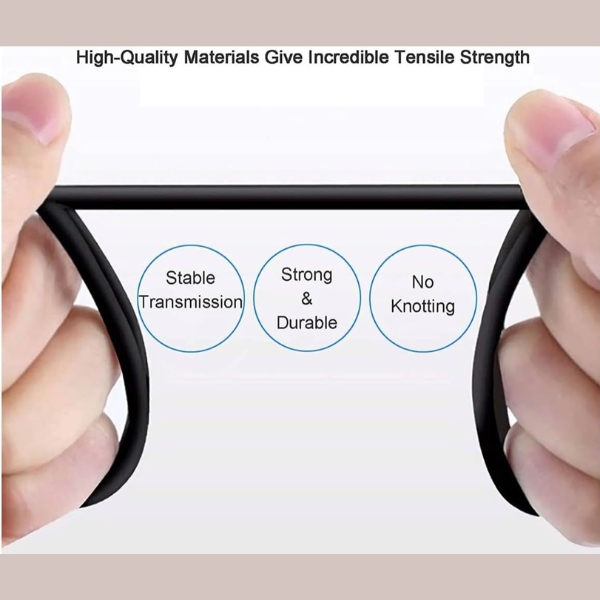
The cable features a black finish and is shown as compatible with iPhone, iPad, iPod, and Apple notebook devices with a Lightning connection. The product images also highlight durable cable construction, stable transmission, and anti-knotting design.
This is a compatible aftermarket audio accessory designed to provide reliable everyday audio connectivity.
Why Customers Love It
- Connects Lightning devices to 3.5mm audio equipment
- Suitable for car stereos, speakers, and headphones
- Durable cable design with reinforced construction
- Flexible and tangle-resistant appearance
- Simple plug-and-play operation
- Compact and easy to carry
Specifications
- Product Type: Lightning to 3.5mm AUX Audio Cable
- Color: Black
- Connector 1: Lightning
- Connector 2: 3.5mm Male Audio Jack
- Cable Length: 1 Meter
- Product Category: Audio Cable / AUX Cable
-
Compatible Devices Shown:
- iPhone
- iPad
- iPod
- Apple Notebook
-
Compatible Audio Equipment Shown:
- Home Stereo
- Headphones
- Speakers
- Car Stereo
-
Visible Features:
- Stable Transmission
- Strong & Durable Construction
- No Knotting Design
What's Inside the Box
- 1 × 1 Meter Audio Cable Lightning to 3.5mm AUX Audio Cable (Black)
Installation Guide
- Connect the Lightning connector to your compatible Apple device.
- Insert the 3.5mm AUX connector into your compatible audio device.
- Ensure both ends are securely connected.
- Start audio playback on your device.
Care Instructions
- Avoid excessive pulling or bending near the connectors.
- Store loosely coiled when not in use.
- Keep connectors clean and free from dust.
- Disconnect by holding the connector housing rather than pulling the cable.
- Store in a cool, dry place.
Warranty & Product Notice
- Product images are for illustration and customer reference purposes only.
- Actual product branding, markings, labels, or packaging may vary slightly depending on stock batches.
- This product is a compatible aftermarket accessory unless otherwise specified.
- Compatible products are designed to provide similar functionality and device compatibility.
- Customers should confirm compatibility with their device before purchase.
- Minor cosmetic or supplier packaging differences may occur without affecting product functionality.
- Physical damage, improper use, modification, or user-caused damage is not covered after purchase.
- Performance may vary depending on device software, settings, and compatibility requirements.


Hassle-Free Exchanges & Returns for 30 Days
At www.cellphoneaccessories.co.za we want you to shop with confidence. If you are not completely satisfied with your purchase, you may return eligible items within 30 days of receiving your order for a shop credit that can be used towards a new order.
Returns & Exchanges
You may return products within 30 days from the date of delivery if:
- The item is unused and in original condition
- The product is returned with original packaging, accessories, manuals, and cables
- The item shows no signs of damage, misuse, scratches, cracks, liquid damage, or tampering
- Proof of purchase or order confirmation is provided
Once approved, we will issue a store credit voucher equal to the value of the returned item, excluding delivery fees where applicable.
Eligible Products
The following products may qualify for return or exchange:
- Cellphone accessories
- Earphones and headphones
- Chargers and cables
- Smart watches and wearable accessories
- Phone holders and mounts
- Bluetooth speakers
- Screen protectors (sealed and unused only)
- Phone pouches and covers
- Power banks
Non-Returnable Items
For hygiene, security, and product protection reasons, the following items cannot be returned or exchanged unless faulty:
- Opened or used earphones/headphones
- Used screen protectors
- Installed accessories
- Software, memory cards, or digital products
- Products damaged by misuse, water, drops, power surges, or negligence
- Clearance, sale, or promotional items
- Customized or special-order items
Faulty or Defective Products
If your item is faulty, defective, or not functioning correctly, please contact us as soon as possible. Products may be inspected before approval of repair, replacement, or store credit. Misuse, physical damage, liquid damage, or unauthorized repairs will void eligibility. South African consumer protection rules generally provide consumers rights regarding defective goods and repairs.
Exchanges
Exchanges are subject to stock availability. If the requested replacement item is unavailable, store credit will be issued for future purchases.
Return Shipping
Customers are responsible for return shipping costs unless the product was supplied incorrectly or confirmed defective upon inspection.
We recommend using a tracked courier service, as we cannot guarantee receipt of returned items without tracking.
Important Notes
- Returned items will be inspected before approval
- Store credit is valid for future purchases on our website
- Original shipping fees are non-refundable
- We reserve the right to refuse returns that do not meet our policy conditions
- This policy does not limit your rights under the South African Consumer Protection Act (CPA)
Need Help?
For return requests or support, contact us:
Email: hello.cellphoneaccessories@gmail.com
Phone/WhatsApp: 083 938 4045
Website: cellphoneaccessories.co.za
6-Month Limited Warranty
At www.cellphoneaccessories.co.za we stand behind the quality of our products. Selected products purchased from our website are covered by a 6-Month Limited Warranty against manufacturing defects under normal use.
What This Warranty Covers
This limited warranty covers:
- Manufacturing defects
- Faulty workmanship
- Electrical faults under normal use
- Products that stop functioning due to factory defects
If a product is confirmed defective during the warranty period, we may:
- Repair the product
- Replace the product
- Issue store credit for use towards a new order if eligible
Warranty Conditions
To qualify for warranty service:
- Proof of purchase or order confirmation is required
- The product must be used under normal conditions
- The product must not be physically damaged, modified, or tampered with
- Products may be inspected before approval of repair, replacement, or store credit
What Is Not Covered
This warranty does not cover:
- Physical damage, cracks, dents, or broken parts
- Water or liquid damage
- Power surges or electrical misuse
- Wear and tear from normal use
- Damage caused by drops, pressure, or negligence
- Unauthorized repairs or modifications
- Consumable items such as screen protectors
- Swollen or bloated batteries
- Scratched, damaged, burnt, or tampered battery points/terminals
- Damage caused by overcharging, incorrect chargers, or improper use
- Products opened, modified, or repaired by unauthorized persons
For safety and quality control reasons, power banks, cellphone batteries, and rechargeable battery products with signs of swelling, tampering, misuse, or physical damage are not eligible for warranty claims.
Any signs of tampering, misuse, liquid damage, or physical damage will void the warranty immediately.
Store Credit Policy
Approved warranty claims, returns, or exchanges will be issued as store credit only, which can be used towards placing a new order on cellphoneaccessories.co.za.
We do not provide cash refunds unless required by applicable South African consumer laws.
Contact Us
Email: hello.cellphoneaccessories@gmail.com
Phone/WhatsApp: 063 429 6863
Website: cellphoneaccessories.co.za


